Well most people are enjoying their three day weekend with last minute lake time or barbecues or shopping or any of the other fun things they could be doing. When I think of long weekends I think of two things: extra time in my class and sleep. Well I managed to sleep for about 12 hours each of the last two nights (I also happen to be sick) and then I have spent Saturday and part of Sunday working in my classroom. Have I mentioned I'm a self-professed workaholic? What I like about the extra time on weekends is that there is no one around which means fewer distractions and I can do all those things I have been putting off because I just don't have the time to do them This weekend I managed to get a few things done.
First, we have a new reading and a new math series. The great thing about new series is that it gets you out of any rut you might have been in. They also happen to come with lots and lots of resources that are in separate pieces. I've been feeling like I'm having to go here for this resource and here for this resource and here for a different resource. So my one big goal this week was to start organizing all of those separate pieces into one place so I would have everything I need. For reading I made files for each week that includes vocab cards, definitions, and leveled readers. As I add to my resources, I can add to the files. Now the resources I need are in one place. This will make me a lot less stressed in the coming weeks.
After I accomplished that minor feat, I managed to organize some of my binders. This meant starting a reading resource binder that isn't related to my series but has supplements for different skills (i.e. teaching character traits, visualizing, cause and effect, etc.). I also made labels for my binders because I had about eight total that didn't have a label and I was having to open three or four before I found the binder I needed. Can we say waste of time? Now I have cute labels and that makes me happy.
The other big thing I accomplished this weekend was to set up my intervention/small group binder. In the next couple weeks we are going to start going to centers and I am now ready to pull individuals and small groups to work on skills. This binder is set up to track data and keep me organized.
Sunday, August 31, 2014
Tuesday, August 5, 2014
Beginning of the Year Scrapbook Page
Earlier I talked about the End of the Year Scrapbook that we create for our kids. I thought it would be a good idea to show specific pages that I used in case you are interested in creating one too. On the first day of school I like to give my students a chance to express themselves in an easy, non-stressful way. This is a great little page by Doris Young that gives them something easy to do to ease us back into routine.
While they work on writing and coloring, I pull kids to take photos of their first day of school. I make sure I have some kind of sign showing it is the first day of third grade. This year I found these adorable signs on TPT by Teach and Tell Us that the students color themselves. I'm going to see how they turn out, but I'll probably have another sign ready for my kids to use just in case.
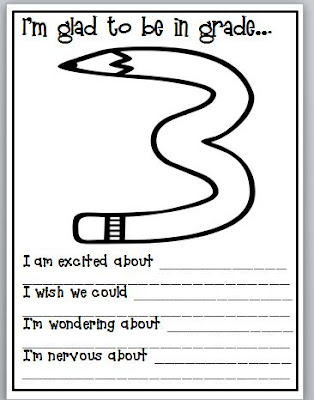
All you have to do is put each student's picture on a background and you have your first scrapbook page. I also include the "I'm Glad to be in grade 3" page in the scrapbook because my kids had some super cute excitements and nerves.
While they work on writing and coloring, I pull kids to take photos of their first day of school. I make sure I have some kind of sign showing it is the first day of third grade. This year I found these adorable signs on TPT by Teach and Tell Us that the students color themselves. I'm going to see how they turn out, but I'll probably have another sign ready for my kids to use just in case.
All you have to do is put each student's picture on a background and you have your first scrapbook page. I also include the "I'm Glad to be in grade 3" page in the scrapbook because my kids had some super cute excitements and nerves.
Saturday, August 2, 2014
Give a Teacher a Hot Glue Gun and She'll Ask For...
Last week my family helped me get my new shelves put together. This week third grade hallway got decorated. Give us a hot glue gun and we can do just about anything.
Wednesday, July 30, 2014
Staining Shelves
I'm also very lucky that my Mom volunteered to help me paint the shelves. I decided to stain the shelves and I have to say they turned out great.
In Process:
First Coat Complete:
Monday, July 28, 2014
Dance Parties
One of my favorite things to do in my class is to have dance parties. These can be for brain breaks, rewards, transitions, inside recess, or even just a little much needed fun on a stressful or long day. I love to play one of these as we are cleaning up centers or transitioning because students only get to dance once they have cleaned up their area and are ready to move on. It is a motivator for them to get done. Plus it gets out some of the wiggles and giggles.
My kids only have a couple rules for my dance parties. The most important rule they have to follow is that they must stay behind their chair. We have long tables for desks, so if they don't stay behind their chairs then they end up smacking someone else in the face (or they magically end up across the room with their best buddy). The other rule is that if it gets too loud the dance party is over. Simple rules for some simple fun. Usually it only takes me stopping a song once or for someone to sit down for my students to remember the rules.
Of course, YouTube is the place to go for all things dance party. I like to use songs with specific dances so my kids don't end up on the floor break dancing and possibly breaking their necks. It also means some of my more reserved kids don't feel as out of place and they will do the dances once they know the moves. The popular ones we do are the ChaCha Slide and the Cupid Shuffle. There are also a ton of videos on YouTube with Just Dance Kids. I also love teacher made videos. Here is a playlist of some of my favorites to use in my room.
My kids only have a couple rules for my dance parties. The most important rule they have to follow is that they must stay behind their chair. We have long tables for desks, so if they don't stay behind their chairs then they end up smacking someone else in the face (or they magically end up across the room with their best buddy). The other rule is that if it gets too loud the dance party is over. Simple rules for some simple fun. Usually it only takes me stopping a song once or for someone to sit down for my students to remember the rules.
Of course, YouTube is the place to go for all things dance party. I like to use songs with specific dances so my kids don't end up on the floor break dancing and possibly breaking their necks. It also means some of my more reserved kids don't feel as out of place and they will do the dances once they know the moves. The popular ones we do are the ChaCha Slide and the Cupid Shuffle. There are also a ton of videos on YouTube with Just Dance Kids. I also love teacher made videos. Here is a playlist of some of my favorites to use in my room.
Wednesday, July 23, 2014
Reminder App on iPhone
This is probably going to sound like the dumbest post ever, but you never know. I've seen bloggers say that and then I look at what they did and think they are the most brilliant person I've ever kinda sorta met.
If you have an iPhone app and you don't use your Reminders App there is probably something wrong with your brain. Ok. Maybe not. It's just the easiest thing in the world for me and I don't have to have a ton of papers running around. Plus, the app comes standard. My obsession started with students that were leaving my class to go to other classes. Maybe they had speech or reading with another teacher or maybe they were getting extra assistance. Some days I would have five or six students leaving my room at various times and that wasn't including the students that got pulled for reading intervention. I am TERRIBLE at remembering to send kids. Some of mine automatically remember, but the majority don't. What else to do, but use my phone to set reminders. My first year I used my iPhone's calendar, but then it cluttered up my calendar and that irritated me. When I discovered reminders it was like the heavens opened up and angels started singing. No lie. There were lots of happy dances involved.
Here is how reminders work (mine may look slightly different because my phone is ancient and due for an upgrade):
Once you are in the Reminders App you can Add a List. I have a list for "Special Classes" that encompasses speech, pull-outs, and resource classes. Once you have your list setup, just go to the list and click on the plus sign or a blank line to make a new reminder in the list. I usually put my student's name and where they are going. Here is an example of what a list might look like.
To set an alarm you turn "Remind Me On a Day" to the on setting. Then you can change the day and how often it repeats. If a student goes to the class every day I have it repeat daily. This means the alarms go off on the weekends too. If that bothers you (I don't really care), you have the option to do it a little bit differently. Just set it up where you have a reminder for each day, Monday through Friday. Here is how that would look for one student daily:
If they only go a few days a week, I do set it up where they have a reminder only for the days they go. For example, most of my speech students only go to their speech class a couple times a week. If they went to speech on Monday and Wednesday I would set two reminders for them. I would make one reminder for Monday and one for Wednesday. Then I would set those reminders to go off every week. This lets them go off only on the correct day of the week instead of every day.
If you have an iPhone app and you don't use your Reminders App there is probably something wrong with your brain. Ok. Maybe not. It's just the easiest thing in the world for me and I don't have to have a ton of papers running around. Plus, the app comes standard. My obsession started with students that were leaving my class to go to other classes. Maybe they had speech or reading with another teacher or maybe they were getting extra assistance. Some days I would have five or six students leaving my room at various times and that wasn't including the students that got pulled for reading intervention. I am TERRIBLE at remembering to send kids. Some of mine automatically remember, but the majority don't. What else to do, but use my phone to set reminders. My first year I used my iPhone's calendar, but then it cluttered up my calendar and that irritated me. When I discovered reminders it was like the heavens opened up and angels started singing. No lie. There were lots of happy dances involved.
Here is how reminders work (mine may look slightly different because my phone is ancient and due for an upgrade):
Once you are in the Reminders App you can Add a List. I have a list for "Special Classes" that encompasses speech, pull-outs, and resource classes. Once you have your list setup, just go to the list and click on the plus sign or a blank line to make a new reminder in the list. I usually put my student's name and where they are going. Here is an example of what a list might look like.
The best part is you can also set alarms. For my ancient iPhone I click on the arrow out to the right. For updated phones or iPads just click on the i that is on the right side. You will come to a screen that looks like this:
To set an alarm you turn "Remind Me On a Day" to the on setting. Then you can change the day and how often it repeats. If a student goes to the class every day I have it repeat daily. This means the alarms go off on the weekends too. If that bothers you (I don't really care), you have the option to do it a little bit differently. Just set it up where you have a reminder for each day, Monday through Friday. Here is how that would look for one student daily:
If they only go a few days a week, I do set it up where they have a reminder only for the days they go. For example, most of my speech students only go to their speech class a couple times a week. If they went to speech on Monday and Wednesday I would set two reminders for them. I would make one reminder for Monday and one for Wednesday. Then I would set those reminders to go off every week. This lets them go off only on the correct day of the week instead of every day.
I'm also going to use my reminders app this year for another purpose. My weekly checklist of things I need to finish to be ready for the next week. Last year I was constantly writing a list and marking things off. I've seen teachers create a printable list or laminate their list and use a dry erase marker. I'm going to use my reminders app. Once you are done you can check it off and you can see what you have left. Plus, once you have completed it the item will actually disappear and go into the completed category. That way, your list gets visibly shorter. That motivates me. Once you are ready to reset the list you just click on the Completed and uncheck the boxes. Then they go back to your list and you can start fresh.
Monday, July 21, 2014
Storing Posters
I hate posters. I say that because I spent the last two years trying to figure out how to store the gigantic life sized monsters that take up space and frustrate me to no end. I had a mass of posters that were all mixed together and rolled up. At one point I put large clips on the edges to keep them together, but that failed miserably because they were different sizes. I ended up still having to roll them and shove them into a top cabinet and pray I didn't need to switch them out.
Then the Bright Ideas Bloghop came to the rescue. Teaching with a Mountain View did a great post on her adorable Anchor Chart Bin. I have to admit I'm super jealous of her bin. It would go perfectly with my polka dot classroom. Unfortunately, I don't even have room for a bin, but I realized I have something almost as good, corner space between two shelves. So I rolled my posters, used color-coded Avery labels and rubber bands, and stuck them in the corner.
It may seem like a huge amount of space devoted to my posters, but it is a small corner and it was completely wasted space before. Now at least it serves a purpose. Plus I know where my anchor charts are and I don't have to spread them all over just to find the one I need. Love it! Big thanks to Teaching with a Mountain View for the fabulous tip!
Then the Bright Ideas Bloghop came to the rescue. Teaching with a Mountain View did a great post on her adorable Anchor Chart Bin. I have to admit I'm super jealous of her bin. It would go perfectly with my polka dot classroom. Unfortunately, I don't even have room for a bin, but I realized I have something almost as good, corner space between two shelves. So I rolled my posters, used color-coded Avery labels and rubber bands, and stuck them in the corner.
It may seem like a huge amount of space devoted to my posters, but it is a small corner and it was completely wasted space before. Now at least it serves a purpose. Plus I know where my anchor charts are and I don't have to spread them all over just to find the one I need. Love it! Big thanks to Teaching with a Mountain View for the fabulous tip!
Subscribe to:
Posts (Atom)